The cheat code for session-player chords. A 16-key chord computer that turns complex harmony into a single button press—so you can lay down pro-level progressions and get back to the take.
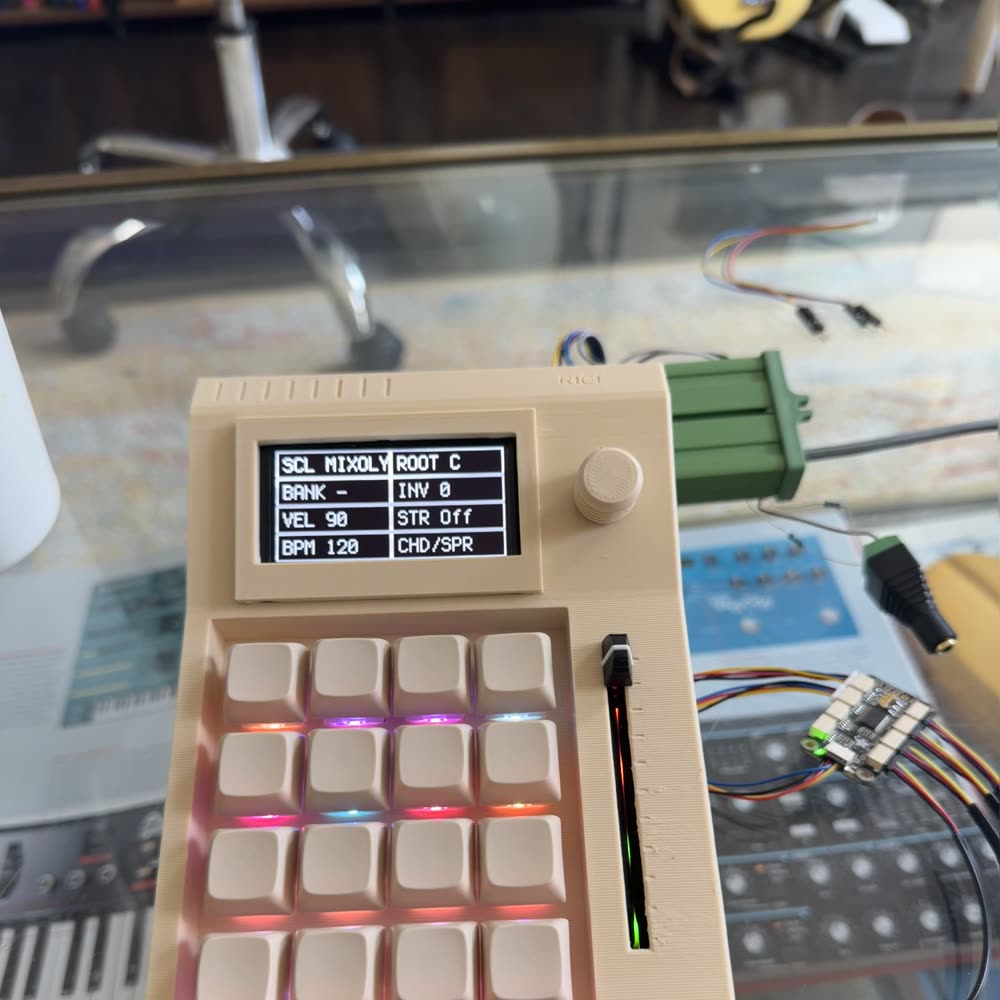
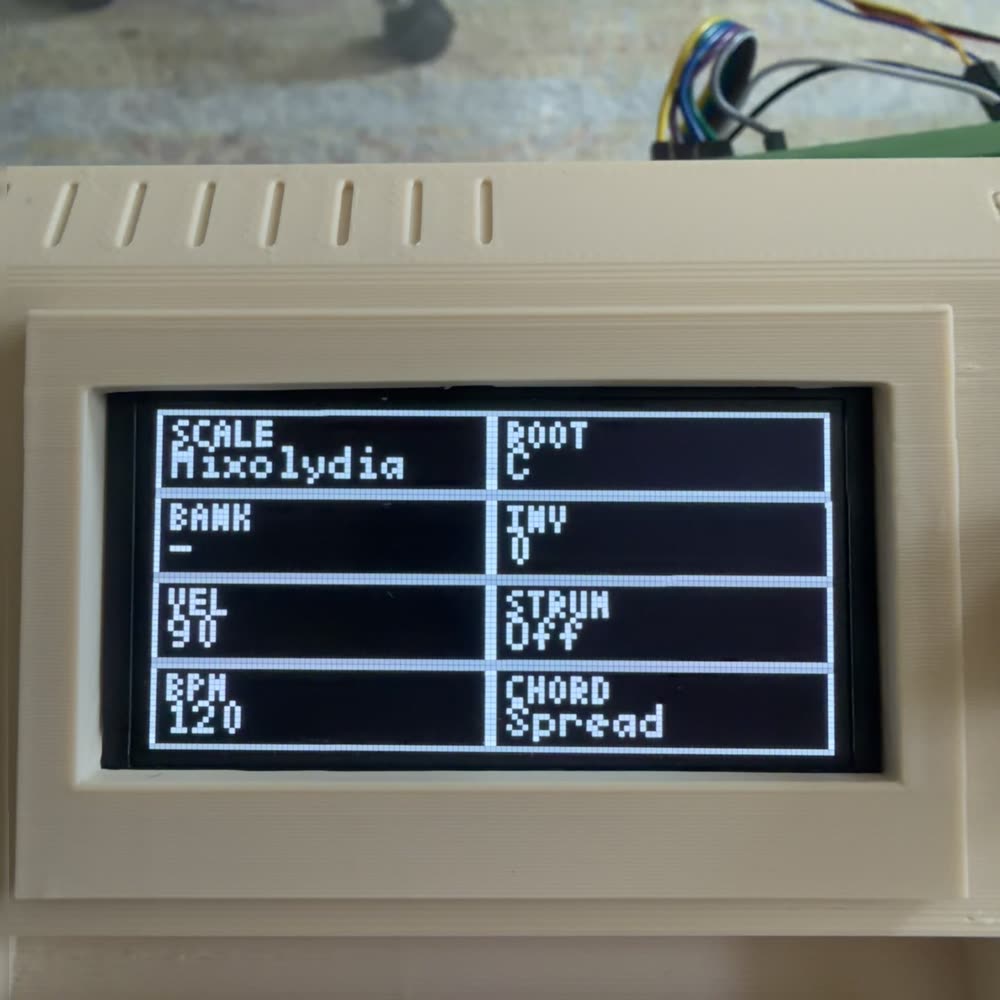
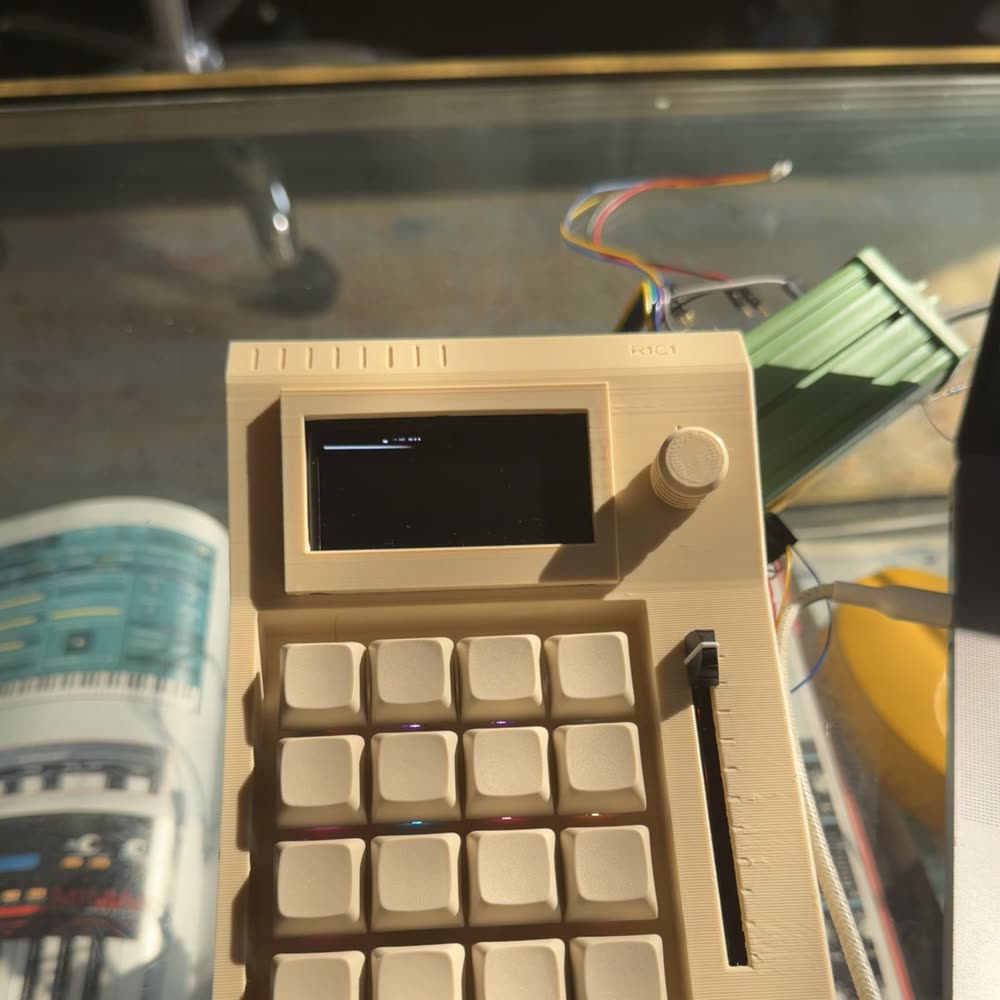
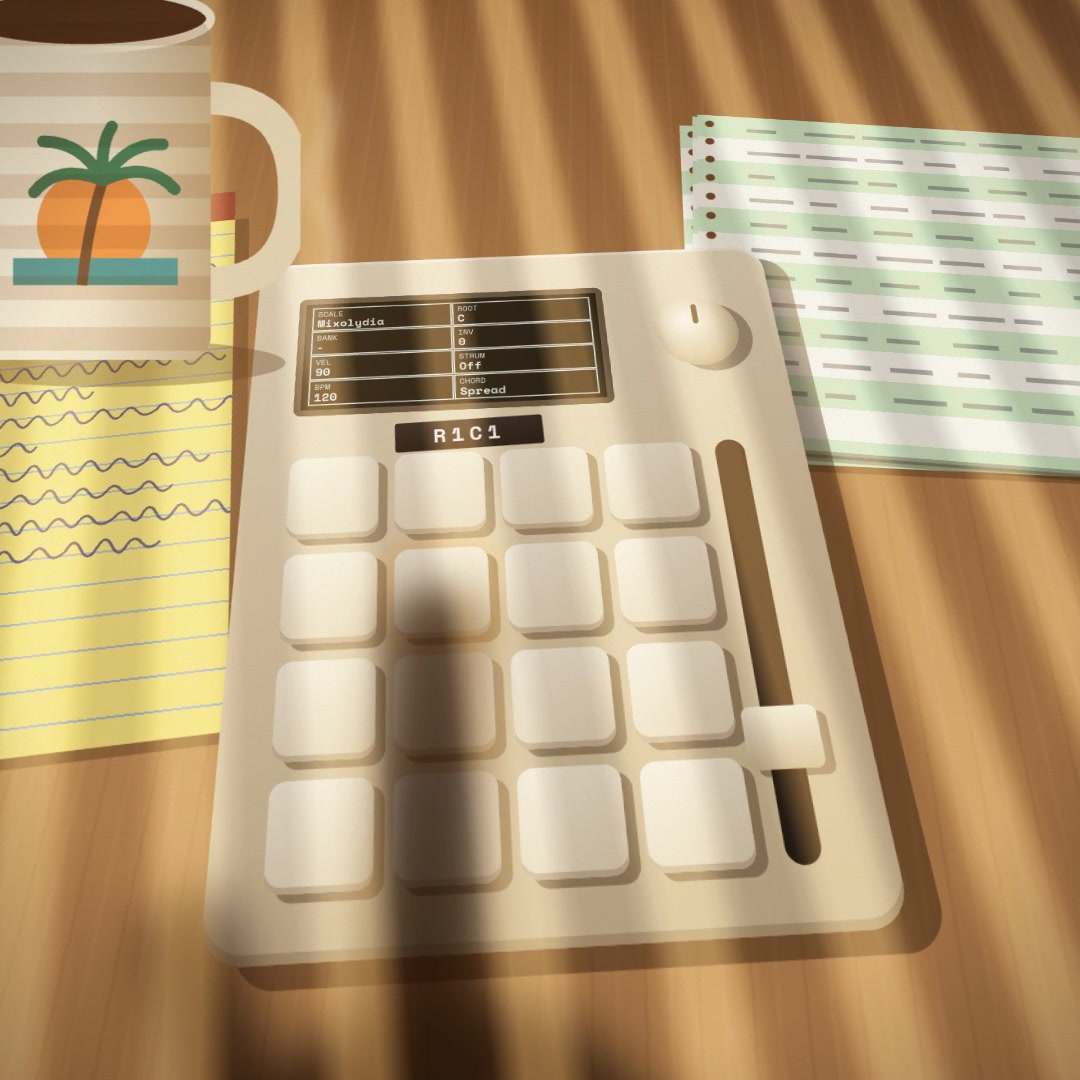
Not a render. This is the working prototype — cream PLA, blank caps, RGB under every key, and a 128×128 OLED showing the eight settings as a spreadsheet.
Sixteen keys, lit by bankThe eight settings, on the deckVents, encoder, slider channel
Hear it. 21 seconds, recorded straight off the unit — no library music, no sequencer.
Trash
Sea.jpg
README.txt
The pitch
Outsource your music theory.
Most producers lose their creative momentum the second they have to figure out a chord progression. You've got a beat and a vibe, but then you're stuck hunting for notes and fighting inversions. The R1C1 makes asking "what if this was a lush Neo-Soul 13th chord?" a one-knob decision instead of a Wikipedia rabbit hole. Just pick a bank, press a key, and let the hardware do the math.
Press one key → a full chordNo theory requiredStay in the flow
Memo — MacWrite
Spreadsheets Corp.Applications Group · est. by the sea
Interoffice Memorandum
TO:
All staff
FROM:
R&D, Applications Group
RE:
Your new instrument
DATE:
—
Per your request, enclosed: one (1) sixteen-key chord computer, calibrated and ready.
No music theory required — the instrument handles the voicing. Plug in and play.
Approved for Use
Welcome to R1C1.
A five-step orientation, per company policy.
1
Plug it in
Connect USB to your computer — Ableton, Logic, FL Studio, it just works — or run DIN OUT straight into a hardware synth. No drivers, no setup.
2
Open the spreadsheet
Single-click the encoder to step into the eight-cell screen. Twist to move between cells; click again to edit; click once more to step back.
3
Pick a bank & a root
Land on the BANK cell and choose your flavour — try RIVIERA TOUCH. Set ROOT to taste. The keys light up in the bank's colour.
4
Play the grid
Each key is a chord. Top rows are the lower octave; bottom rows climb higher. Hold two keys and the R1C1 invents a passing chord between them.
5
Push the slider
In its resting SPREAD mode, easing the slider up fattens the voicing live. That's the sound of the sun going down.
The rows are scale degrees; the slider and encoder do the styling. Three things to know:
One key
A whole chord
Every key returns a full voicing from the active bank. Top rows sit low; bottom rows climb an octave higher, so one hand spans a wide range.
Two keys
A bridge chord
Hold two keys and the R1C1 generates the passing chord between them — a dominant or diminished pivot, auto voice-led into range.
Double-tap shift
Hold mode
Latch the chord so it keeps ringing while your hands are free — for the slider, the encoder, or a cold drink. SHIFT glows amber.
Voicing
Inversions & voice leading
It moves the notes for you.
Twist the encoder to roll the chord through inversions, from -3 to +3 — each step lifts or drops one note by an octave.
Twist the encoder to AVL (Auto Voice-Leading). Instead of a fixed inversion, the R1C1 becomes your invisible session player. It calculates the smartest, smoothest path from your last chord to your next one, gluing your progression together so perfectly that people will think you actually took piano lessons.
INV cell
Value
Behaviour
-3 … -1
Pull upper notes down an octave at a time.
0
Root position, as written.
+1 … +3
Lift lower notes up an octave at a time.
AVL
Smartest path from the last chord. Set and forget.
Hardware.info
The hardware
Four controls. No menus to get lost in.
Everything lives on one face. Here's what each part does — the rest of this manual just explains them in detail.
Part
What it's for
4×4 Keypad
15 chord keys plus SHIFT (bottom-left). In PLAY mode the grid becomes 16 single notes.
SHIFT key
Hold for the secondary layer. Double-tap to latch chords. Hold + slide or + twist for hidden controls.
Slider
A four-LED ribbon that is, in turn, your voicing spread, your velocity, or your arp rate.
Encoder
Twist, click, double-click, long-press. The wheel for inversions, the spreadsheet, modes and tempo.
128×128 OLED
The spreadsheet itself — eight setting cells you navigate with the encoder.
MIDI out
USB for your DAW and 5-pin DIN for hardware synths, sending at the same time. Works with anything.
R1C1ƒx=SCALE("Dorian")
A
B
1
ScaleDORIAN
RootC
2
BankRIVIERA
InvAVL
3
VelMED
StrumTIGHT
4
Bpm120
ModeCHD/SPRD
▲▼
The eight settings, as a spreadsheet — because that's what the on-device screen is. The selected cell, naturally, is R1C1.
Sound
One ribbon, three jobs
The slider.
Hold SHIFT and move the slider to pick a mode; release to commit. The four LEDs always tell you where you are.
Spread
The resting mode. Push up to fatten the voicing live — lower octaves and upper extensions stack in as you climb.
Velocity
The slider becomes dynamics, sweeping from a whisper at 30 up to a slam at 127.
Arp
The slider sets the arpeggiator rate, from Off through 1/4 down to a blurring 1/32.
Special — Arp
The arpeggiator
Arp.
Move the slider into its top zone and your held chord starts to dance. Hold SHIFT and twist to change the pattern.
Rates (slider)
Off1/41/81/8T1/161/16T1/32
Patterns (shift+twist)
UpDownUpDownRandomAsPlayed
Tempo & feel
Long-press the encoder for BPM edit (40–240), then twist. Notes sound at an 80% gate for a springy bounce.
Dynamics
Velocity, strum & play mode
The finishing touches.
Velocity
Preset
Value
Soft
60
Medium
90
Hard
110
Max
127
Humanised ±6 per note.
Strum
Preset
Spread
Off
0 ms
Tight
10 ms
Loose
30 ms
Slow
50 ms
Rolls the chord like a guitar.
Play Mode
Double-click the encoder to flip from CHORD to PLAY. The grid becomes 16 single notes — lowest at bottom-left, climbing up and right. Root notes glow orange.
Samples
Banks
The library
Browse the sounds.
Seven raw scales and fourteen voiced banks, filed by mood. Open a folder, tap a sound, and it loads straight onto the device.
New in Firmware 1.13
The R1C1 doesn't just transpose notes. Each bank has its own intelligent ruleset — dropping roots for funk, clamping registers for dub, or adding thick doublings for Italo disco.
Library ▸
Reference
Full control reference
Every gesture, in one place.
The Encoder
Gesture
Action
Twist
Change inversion (default).
Single click
Enter spreadsheet → navigate → edit → step back.
Double click
Flip CHORD ⇄ PLAY mode.
Long press
BPM edit; twist to set, click to leave.
Shift + twist
Octave (-3…+3), or arp pattern in ARP.
The SHIFT Key
Gesture
Action
Hold
Engage the secondary layer.
Double-tap
Toggle Hold / latch (glows amber).
Hold + slide
Slider-mode picker; release to commit.
Hold + twist
Octave shift / arp pattern.
Bottom-left
That's where it lives, always.
MIDI & Connections
Output
Spec
What it means
USB MIDI
DAW Ready
Plug it into Ableton, Logic, or FL Studio and it just works.
5-pin DIN
Hardware Synth Ready
Drive your Moog or Prophet with zero computers required.
Quick Reference
Performance
1 keyChord
2 keysAuto passing chord
⇧⇧Hold / latch
Slider ↑Fatten the voicing
⇧ + slidePick slider mode
⇧ + twistOctave / arp pattern
The Encoder
TwistInversion
ClickSheet ▸ nav ▸ edit
Double-clickChord ⇄ Play
Long-pressBPM edit
INV → AVLAuto voice-leading
USB + DINMIDI out, Ch 1
Get Info — Mike
The maker
Made by a producer, not a committee.
SP
Mike Haverstick
a.k.a. Spreadsheets
Producer · Builder · New York City
Mike Haverstick makes music as Spreadsheets out of New York City. He built the R1C1 after one too many sessions stalled out hunting for the right chord — the idea was simple: let the hardware handle the theory so the groove never stops. What began as a personal fix turned into a 16-key chord computer with a spreadsheet for a brain.